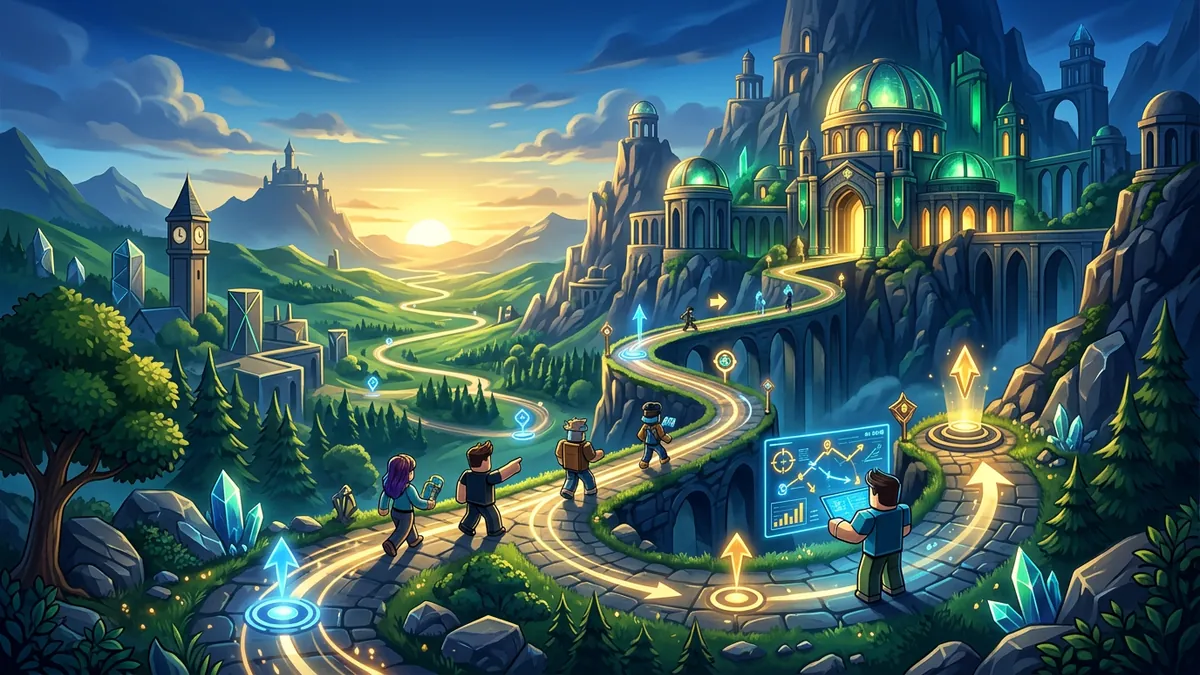
Here’s something that might surprise you: Roblox has quietly become one of the best platforms for educational gaming. While most people think of it as the place where kids play Blox Fruits and Adopt Me, there’s a growing ecosystem of genuinely educational experiences that teach real skills – from actual programming languages to physics, history, and creative problem-solving. And the wild part is, kids don’t even realize they’re learning because they’re having too much fun.
I’m a gaming writer, not a teacher, but I’ve spent years watching my younger siblings and their friends play Roblox. The games on this list are the ones where I’ve seen kids get genuinely excited about learning concepts they’d normally groan about in a classroom. That’s the magic of game-based learning – when the learning is wrapped in gameplay that’s actually fun, kids engage with it voluntarily, repeatedly, and deeply.
Whether you’re a parent looking for screen time that’s actually productive, a teacher searching for supplementary tools, or a kid/teen who wants to learn cool stuff without it feeling like homework, this list has something for you.
Why Roblox Works for Education
Before we get into the games, it’s worth understanding why Roblox is uniquely suited for educational content.
Kids are already there. You don’t need to convince a kid to open Roblox – they’re already playing it daily. Educational games on the platform meet kids where they are instead of asking them to go somewhere new.
Interactive learning beats passive learning. Reading about physics is fine. Building a bridge in a physics simulator and watching it collapse because your supports were wrong? That teaches the concept in a way that sticks.
Social learning is powerful. Many of these games support multiplayer, meaning kids learn alongside friends. Discussing strategies for a math puzzle game is stealth education at its finest.
The feedback loop is instant. Games provide immediate feedback on success or failure. Wrong answer? The bridge collapses. Right approach? You advance. This tight feedback loop accelerates learning in ways that traditional homework can’t match.
The Best Roblox Educational Games
1. Lua Learning (Coding)
Subject: Programming | Ages: 10+ | Players: Solo
If there’s one educational game on Roblox that everyone should try, it’s Lua Learning. This game teaches you the actual Lua programming language that Roblox itself is built on through a series of progressively challenging coding puzzles. You start with basic concepts like variables and print statements, then work your way up to loops, functions, conditionals, and eventually building simple game mechanics.
What makes it exceptional is that the skills transfer directly. Everything you learn in Lua Learning can be used to create your own Roblox games in Roblox Studio. The game essentially turns kids into game developers, which is an insanely motivating reward structure.
What kids learn: Programming fundamentals, logical thinking, debugging, computational thinking
Parent note: This is the single most practical educational game on Roblox. Lua is a real programming language used professionally in game development. Skills learned here are genuinely applicable to future careers in tech.
2. Creator Challenge Series (Coding + Game Design)
Subject: Game Development | Ages: 8+ | Players: Solo
Roblox’s official Creator Challenge series is a set of guided experiences that teach game development concepts through hands-on building. Each challenge focuses on a different aspect – one might teach terrain creation, another covers scripting basic interactions, and another focuses on lighting and atmosphere.
The challenges are short (15-30 minutes each) but packed with practical knowledge. Completing them earns badges and sometimes exclusive avatar items, which gives kids external motivation beyond the learning itself.
What kids learn: Game design principles, basic scripting, 3D environment creation, UI design
3. Math Obby (Mathematics)
Subject: Math (Addition through Algebra) | Ages: 7+ | Players: Multiplayer
Math Obby takes the most popular game format on Roblox – the obstacle course – and weaves math problems into every jump. To progress past each obstacle, you need to solve a math equation. Get it wrong and you fall. Get it right and the platform solidifies beneath you.
The difficulty scales based on your progression. Early levels feature basic addition and subtraction, middle levels introduce multiplication and division, and later stages get into fractions, decimals, and basic algebra. The obby format keeps kids engaged because they want to beat the course, and the math becomes the tool they need to do it rather than the chore they’re avoiding.
What kids learn: Arithmetic, mental math speed, algebraic thinking, mathematical confidence
4. Science Simulator
Subject: Physics, Chemistry, Biology | Ages: 8+ | Players: Multiplayer (up to 20)
Science Simulator is a sandbox-style game where players conduct experiments in virtual laboratories. The physics lab lets you test gravity, friction, momentum, and force by building contraptions and seeing how they behave. The chemistry lab features a simplified but accurate periodic table where you combine elements to create compounds and observe reactions. The biology lab includes a cell exploration mode where you literally shrink down and walk through a giant human cell, learning about organelles along the way.
The game doesn’t lecture. It gives you tools and lets you discover how things work through experimentation. This trial-and-error approach mirrors the actual scientific method, making it one of the most pedagogically sound games on this list.
What kids learn: Scientific method, basic physics, chemistry fundamentals, biology concepts, experimental design
5. History Tycoon
Subject: World History | Ages: 8+ | Players: Multiplayer (up to 15)
History Tycoon combines the addictive tycoon game format with genuine historical education. You start in ancient civilizations and progress through time periods by building historically accurate structures, developing technologies in the correct order, and making decisions about trade, diplomacy, and expansion.
The progression system is tied to historical accuracy. Building a medieval castle before developing agriculture? The game won’t let you. This forces players to understand the logical progression of human civilization and the dependencies between technological and cultural developments.
Each era includes short “History Notes” that pop up with real facts about the period. They’re optional to read but provide context that helps with gameplay decisions, incentivizing kids to engage with the historical content.
What kids learn: Historical timelines, cause and effect in history, technological progression, cultural development
6. Word Bomb (Language Arts)
Subject: Vocabulary and Spelling | Ages: 7+ | Players: Multiplayer (up to 12)
Word Bomb is a fast-paced word game where a “bomb” passes between players, and you need to type a word containing a specific letter combination before the timer expires. If the bomb explodes on your turn, you’re out. It’s simple, frantic, and incredibly effective at expanding vocabulary.
The competitive element pushes players to dig deep into their word knowledge. You’ll see kids learning obscure words not because a teacher told them to, but because knowing “onomatopoeia” saved them when the combination was “opo.” The game has multiple difficulty modes, from beginner (common 2-letter combinations) to expert (rare 3-4 letter combinations).
What kids learn: Vocabulary expansion, spelling, quick thinking, language patterns
7. Build a Boat for Treasure (Engineering + Physics)
Subject: Engineering, Physics | Ages: 7+ | Players: Multiplayer (up to 6)
Build a Boat for Treasure is technically not marketed as educational, but it’s one of the best engineering games on Roblox. Players design and build boats using various materials, then launch them down a river obstacle course. The physics engine is surprisingly accurate – boats need proper weight distribution, structural integrity, and hydrodynamic design to survive.
Kids learn engineering principles through direct experimentation. A boat with all its weight on one side capsizes. A boat with no reinforcement breaks apart at the first waterfall. The iterative design process of building, testing, failing, and improving is literally the engineering design cycle, and kids do it naturally because they want to reach the treasure at the end.
What kids learn: Structural engineering basics, physics of buoyancy, iterative design, problem-solving
8. Roblox Music Lab (Music Theory)
Subject: Music Theory and Composition | Ages: 7+ | Players: Solo or Multiplayer
Music Lab provides a virtual music studio where players can learn about rhythm, melody, harmony, and composition using visual instruments. Notes are color-coded and placed on a spatial grid, making music theory accessible to kids who have no traditional music background.
The game includes guided lessons that teach basic concepts like scales, chords, and time signatures, then provides a freeform composition mode where kids can create their own music. Finished compositions can be shared with other players, adding a social element that motivates creation.
What kids learn: Music theory fundamentals, rhythm, composition, creative expression
9. Geography Quiz Challenge
Subject: Geography | Ages: 8+ | Players: Multiplayer (up to 30)
A multiplayer quiz game that tests knowledge of countries, capitals, flags, landmarks, and geographical features. The competitive format pushes players to learn more between sessions so they can perform better next time. The game includes a world map exploration mode where you can “visit” countries and learn facts about them at your own pace.
The questions range from beginner (identify major countries on a map) to expert (name the capital of Burkina Faso), with matchmaking that pairs players of similar knowledge levels. Consistent play genuinely makes kids better at geography – I’ve watched my sister go from not knowing where France is on a map to casually identifying Central African countries because she wanted to beat her friend’s score.
What kids learn: World geography, capitals, flags, cultural awareness, map reading
10. Typing Simulator
Subject: Typing Skills | Ages: 7+ | Players: Multiplayer
Typing speed is one of those practical skills that benefits literally everything a kid does on a computer. Typing Simulator gamifies typing practice with races, challenges, and progression systems. You level up by typing faster and more accurately, unlock new areas and cosmetics, and compete against other players in real-time typing races.
It’s not the most creative game on this list, but it might be the most practically useful. Kids who play Typing Simulator regularly show measurable improvement in typing speed and accuracy within weeks. And since typing is a foundational skill for coding, writing, and general computer literacy, the benefits compound.
What kids learn: Touch typing, typing speed, typing accuracy, keyboard familiarity
11. Eco Tycoon (Environmental Science)
Subject: Environmental Science, Sustainability | Ages: 8+ | Players: Multiplayer (up to 12)
Eco Tycoon puts players in charge of managing a growing community while balancing economic development with environmental sustainability. Build too many factories without pollution controls? Your river gets contaminated and citizens get sick. Clear-cut forests without replanting? Soil erosion destroys your farmland.
The game makes the consequences of environmental decisions tangible and immediate. Kids quickly learn that sustainable practices aren’t just morally good – they’re strategically necessary for long-term success. The game includes real statistics about global environmental issues, seamlessly woven into the gameplay feedback.
What kids learn: Sustainability concepts, cause and effect in environmental systems, resource management, civic responsibility
12. Dinosaur Dig Simulator (Paleontology)
Subject: Paleontology, Natural History | Ages: 7+ | Players: Multiplayer (up to 8)
An excavation simulator where players carefully dig up dinosaur fossils, assemble skeletons, and learn about different species, time periods, and evolutionary concepts. The digging mechanics require patience and precision – rush and you’ll damage the fossils, reducing their scientific value.
Each completed skeleton unlocks a detailed information page about the species, including when it lived, what it ate, where it was found in real life, and how it relates to other dinosaurs. The game covers the Triassic, Jurassic, and Cretaceous periods with over 50 dinosaur species to discover.
What kids learn: Paleontology basics, geological time periods, evolutionary concepts, scientific patience and methodology
Quick Comparison Table
| Game | Subject | Ages | Multiplayer | Learning Depth |
|---|---|---|---|---|
| Lua Learning | Coding | 10+ | Solo | Deep |
| Creator Challenge | Game Dev | 8+ | Solo | Medium |
| Math Obby | Math | 7+ | ✅ | Medium |
| Science Simulator | Science | 8+ | ✅ | Deep |
| History Tycoon | History | 8+ | ✅ | Deep |
| Word Bomb | Language | 7+ | ✅ | Medium |
| Build a Boat | Engineering | 7+ | ✅ | Medium |
| Music Lab | Music | 7+ | ✅ | Medium |
| Geography Quiz | Geography | 8+ | ✅ | Medium |
| Typing Simulator | Typing | 7+ | ✅ | Light |
| Eco Tycoon | Environment | 8+ | ✅ | Deep |
| Dinosaur Dig | Paleontology | 7+ | ✅ | Medium |
Recommendations for Parents
If you’re a parent reading this, here’s the honest take. Not all screen time is equal, and these games represent the best of what interactive, game-based learning can offer. That said, a few practical tips:
Set time limits, but be flexible. If your kid is deep into a coding challenge in Lua Learning, letting them finish the level before logging off is more beneficial than cutting them off mid-problem. The engagement is the point.
Play with them. Multiplayer educational games are a great opportunity for family gaming time. Geography Quiz Challenge and Word Bomb are genuinely fun for adults too, and playing together lets you reinforce what they’re learning through conversation.
Use these as supplements, not replacements. These games are most effective when they complement what kids are learning in school. If your child is studying fractions in class, pointing them toward Math Obby’s fraction levels creates a powerful reinforcement loop.
Check the chat settings. Most of these games have limited or no chat, but for games with open chat, make sure your child’s Roblox parental controls are configured appropriately. Roblox’s chat filters are solid, but parental oversight is always best.
Don’t force it. The whole point of educational gaming is that it’s voluntary and fun. If your kid doesn’t enjoy a particular game, don’t push it. There are enough options on this list that something will click.
Beyond These Games
The educational gaming space on Roblox is growing fast. Roblox has invested heavily in their “Learn and Explore” initiative, partnering with educational institutions to create high-quality learning experiences. Expect this list to expand significantly over the next year as more developers build in this space.
For more on what’s happening on Roblox, check out our best Roblox games, our Roblox beginner progression guide, and our performance tuning guide to keep games running smoothly on any device.
The best part about all of this? Every game on this list is completely free. No Robux required, no premium subscriptions, no hidden paywalls. Just fun, effective learning wrapped in the platform your kids already love.
FAQ
Are Roblox educational games actually free?
Most of the educational games on this list are free to start and fully playable without Robux. Some may sell optional cosmetics, but the learning loop is available without paying.
Which Roblox educational games are best for coding?
Lua Learning and the Creator Challenge series are the strongest picks for coding and game creation. They teach real Lua and Roblox Studio concepts that transfer directly into building games.
How can parents make these games safer?
Use Roblox parental controls, tighten chat permissions, and choose curated learning experiences. Playing together also helps you verify the game is delivering real educational value.
What should younger kids start with first?
Math Obby, Word Bomb, Geography Quiz Challenge, and Typing Simulator are the easiest starting points. Older kids who want deeper skill-building should move toward Lua Learning, Creator Challenge, or Science Simulator.